
20 Questions About Using AI in SOX: Reliance, Data Privacy, Integration, and Using Different AI Tools

When it comes to integrating AI in their day-to-day work, many Internal Audit and SOX teams are still having trouble getting out of the starting gates.
The Internal Audit Collective’s January 2026 survey of 113 members found that less than 25% were using AI extensively in Internal Audit. The low adoption seemed surprising.
Then we surveyed a much wider sample of Internal Auditors during our March 5 webinar demoing AI use cases for SOX. Among the 850+ attendees (which included both members and non-members):
- 30% were not using Gen AI in any SOX activities.
- More than half (56%) reported informal experimentation by individual team members.
- Only 11% had conducted structured pilots in specific SOX processes, and a mere 3% had formally embedded Gen AI within their SOX methodologies/governance.
- At the same time, most attendees (93%) were at least somewhat confident that Gen AI would improve Internal Audit’s SOX process efficiency and impact in 2026.
So what’s the story? Why are auditors confident in Gen AI’s potential value for SOX — but still not making meaningful progress on implementation?
The January survey found that the biggest barriers for Gen AI use often boil down to (1) lack of skills or training, (2) tool/technology limitations, (3) concerns about audit quality or reliance, (4) data privacy/confidentiality concerns, and/or (5) unclear guidance/policies.
In other words, Internal Auditors have more questions than answers about Gen AI adoption. So we’re here today to help answer some of the questions that may be holding teams back.
SOX leaders and Internal Audit Collective Gen AI for SOX Working Group members Casey Atwater, Tejomayi Kurmala, Patrick Noll, and Jim Tarantino did awesome demos of the prompts they created and answered several questions live during the March webinar. But the webinar chat was overflowing with questions, so we’ve pulled them together into this meaty FAQ. Read on for their perspectives on 20 common questions auditors have about using Gen AI in SOX.
External Audit Reliance
Q1. Has anyone seen any formal guidance for how Internal Audit should document AI use in audit execution or SOX controls test procedures?
Casey Atwater: There has not been any specific formal guidance from regulators on this topic yet. The closest thing to actionable guidance that has come out is the February 2026 COSO publication Achieving Effective Internal Control Over Generative AI. What makes this particularly relevant for our work is that each capability includes examples, minimum control expectations aligned to all five COSO components, and illustrative metrics to support both operational monitoring and audit evidence collection.
While COSO’s guidance is framed primarily from the perspective of performing controls, the principles translate directly to audit execution and SOX controls testing. The foundations of internal control have not changed. What has changed is the environment in which those controls operate. The essential questions remain the same: who is responsible, what risks affect the reliability of outputs, what controls ensure that errors are detected or prevented, and how performance is monitored over time. If you have not already reviewed this publication, it is worth the read. It is the most structured, audit-ready framework available right now for thinking through how to govern and document AI use in a control environment.
Q2. For controls where you used AI for SOX testing, how did it impact External Auditor reliance on Internal Audit’s work?
Tejomayi Kurmala: Integrating AI into SOX testing will not impact External Auditor reliance. Instead, AI serves as an efficiency engine for Internal Audit, enhancing accuracy by catching human errors and ensuring consistent documentation. Because “auditor-in-the-loop” remains the standard, all AI-assisted work is still human-reviewed, maintaining the high level of oversight External Auditors require.
Q3. Have External Auditors required additional procedures to validate or document AI prompts for inclusion in their workpapers or audit procedures?
Patrick Noll: The use of AI prompts to date has been internal and supplemental in nature, serving as a decision‑support tool rather than a source of audit evidence. All outputs generated are reviewed by an individual auditor, with professional judgment applied, and any conclusions or documentation ultimately relied upon are independently validated and supported using traditional audit procedures and evidence. Additional context and rationale are incorporated by the reviewer before inclusion in workpapers, ensuring accountability remains with the auditor.
Q4. Do you share prompts with External Audit to get buy-in?
Casey Atwater: When my team is using AI, we share prompts with the External Auditors as part of the evidence package. We always follow the review principles. Provide enough documentation so that an independent individual could reperform the same steps and arrive at the same conclusion.
Q5. Does your External Auditor require additional review steps to demonstrate the human-in-the-loop element for SOC1 reviews performed by management?
Tejomayi Kurmala: The control itself is not changing — we are just tweaking the process to make it faster. The prompt is there to help the SOC1 reviewer work more efficiently, but the core steps and objectives stay exactly the same, negating the need to get the External Auditor’s approval.
Q6. Has anyone used AI control testing tools such as Petual or Midship? Are External Auditors or the PCAOB comfortable with IA/Management’s use of these tools?
Casey Atwater: Our audit team completed a pilot with one of these tools, and it proved to be efficient in certain scenarios. I know that other audit teams have invested significant time automating testing with good results using these tools. Overall, you will get good results if you put in the upfront investment to properly integrate these tools into your testing processes.
On the question of External Auditor and PCAOB comfort, the short answer is: with a human review in the loop. External Auditors have not provided blanket approval for AI-driven SOX compliance, and every automated workflow requires documentation showing how practitioners established parameters, how the AI executed procedures, and where human judgment reviewed results.
For those looking for a framework to ground their approach, the February 2026 COSO publication Achieving Effective Internal Control Over Generative AI is the most structured guidance available now. It does not introduce a new governance model but instead applies COSO's existing five components to Gen AI, with audit-ready control mapping and minimum control expectations. While framed from a performing controls perspective, the principles translate directly to audit execution and SOX controls testing.
The PCAOB's posture is evolving, and they have signaled that AI could serve as a catalyst for improved audit quality. But the direction is clear: You cannot simply deploy AI and assume compliance. The teams seeing the best results are those treating human oversight not as a workaround, but as a genuine part of the control design.
Data Privacy
Q7. How do you ensure your data is protected when using AI tools?
Jim Tarantino: Coordinate with your IT department to understand their AI strategy and secure licensing for enterprise versions of major LLM platforms such as Claude, Gemini, ChatGPT, or Copilot. All major foundation models (Anthropic, Microsoft, OpenAI, and Google) offer enterprise editions, which include more robust data safeguards and offer more controlled usage than public versions. Some organizations also may use language models that run on their private cloud for maximum control.
Your IT department should employ Data Loss Prevention (DLP) and monitoring/observability tools to track LLM interactions, ensure policy compliance, and prevent select sensitive data (e.g., personally identifiable information [PII], confidential material) from being submitted in prompts.
You must understand which AI model you are using and ensure you select the option not to share your data to train the model. In enterprise-approved environments (like Gemini in Workspace), providers commit to not using your data to train or improve the underlying AI models without permission. Verify that the terms of service of your enterprise agreement have provisions by the model host to not use your data for training.
As a best practice, always review your organization’s AI tool’s privacy policies. To mitigate security and privacy concerns, strictly limit the data input by removing confidential, private, or personally identifiable information when entering prompts. Avoid using AI tools for tasks involving high-stakes or confidential data unless enterprise-grade security is assured.
Q8. Has leadership expressed any legal/privacy concerns around recording/transcribing walkthrough interviews? Or using AI with confidential material? How do you get people comfortable with recordings?
Casey Atwater: These are legitimate concerns worth addressing thoughtfully. For my team, recording walkthrough conversations is not new. We have historically recorded all of our walkthrough discussions, so that practice was already established and accepted within our organization, making the transition to AI-assisted transcription much smoother.
On the broader question of using AI with confidential material, the key for us has been having an internally hosted chatbot. Keeping the tool within our own environment significantly alleviates the legal and privacy concerns that come with sending sensitive data to third-party platforms. Leadership is far more comfortable when they know the data is not leaving the organization.
Lastly, what also helps is that our internal chatbot is permission-aware. It understands your roles and permissions at the organizational level, meaning access to information is governed on a need-to-know basis. That kind of built-in governance is critical when you are working with confidential audit and financial data. It is the type of control that gives both legal and leadership the confidence to support broader AI adoption.
The bottom line is that the infrastructure matters as much as the AI tool itself. Getting the right environment in place upfront is what creates the conditions for people to engage with AI confidently and responsibly.
Q9. Does Internal Audit need vendor approval to feed SOC1 reports into LLMs?
Tejomayi Kurmala: While securing approval is recommended, the use of an enterprise-approved LLM ensures that vendor consent is not a critical dependency for processing SOC1 reports.
Integration With SOX platforms
Q10. If you’re using a SOX platform (Auditboard, Workiva, etc.), how do these prompts and outputs feed into the platform?
Patrick Noll: Currently, outputs from AI prompts do not feed directly into AuditBoard. The prompts are used externally as a decision‑support and drafting tool, and any resulting updates are manually incorporated by the individual reviewer. This includes uploading revised documents, updating narratives or workpapers, or manually making changes in AuditBoard based on the reviewed output.
At this time, there is no direct integration between AI prompts and AuditBoard, and full control over what is entered into the platform remains manual and subject to individual review and professional judgment.
Comparing and Using Different AI Tools
Q11. Have you kept tabs of which AI tools are better at some tasks vs. others? Do you have a personal preference?
Casey Atwater: The right tool depends heavily on what you are trying to accomplish. That said, I have been using Claude lately and have found it to excel in two areas that matter most for our work: long-document analysis and financial analysis. When you are working through lengthy control narratives, policy documents, or complex financial data, Claude’s ability to reason across large amounts of content without losing context is a meaningful advantage.
My practical takeaway is to start with the task, then choose the tool. No single AI wins everything, but for the analytical and document-heavy work that often defines Internal Audit and SOX compliance, Claude has been my go-to.
Q12. What data needs to be uploaded to AI tools to generate these outputs?
Jim Tarantino: If asking about my Gen AI use cases specifically, the auditor needs to supply walkthrough notes, process narratives, and process flowcharts to the Gen AI application. But if we are thinking more broadly across a variety of use cases, many artifacts we use as auditors need to be supplied to language models as inputs to process or examples upon which to help the model respond. These can include, but are not limited to, flowcharts, narratives, risk and control statements, RCMs, working papers, prior audit reports, audit programs, and action plans. Basically, the artifacts we use day to day can be useful to a language model.
(Note: Jim demoed the “Text to Process Narrative Generation” and “Narrative to Process Flow Gap Analysis” prompts, available in the Internal Audit Collective’s members-only Gen AI Prompt Library.)
Q13. Do we need to manually input information into these prompts?
Patrick Noll: Information can be provided to the prompts in multiple ways. Data may be manually entered into the prompt, or relevant files (e.g., documents, spreadsheets, PDFs) can be uploaded for review and analysis. In both cases, the information provided is reviewed by an individual to ensure accuracy, completeness, and appropriate context before any output is used.
Q14. How long does it take to build a working prompt or AI agent?
Patrick Noll: The time required to build a working prompt or AI agent varies significantly based on complexity, purpose, and governance requirements.
Casey Atwater: As Patrick mentioned, the time commitment varies greatly based on what you are trying to accomplish. While a basic prompt can come together quickly, the part that tends to take the longest is not the build itself, but the testing and evaluation phase.
Getting a prompt or agent to produce an output is one thing. Getting it to produce a consistently reliable, accurate, and audit-defensible output is another.
When considering your upfront time commitment, budget more time for testing than you think you need, and treat it as part of the build, not an afterthought.
Q15. How do you organize and centralize prompts to limit friction and increase visibility to the audit team? We’ve yet to find a solution without big tradeoffs.
Jim Tarantino: We are all still new at this and practices are evolving. At present, I like to catalog my prompts the way I catalog my analytic scripts. That is, treat your prompt library less like storage and more like a shared playbook.
- Start by keeping things simple and consistent. Pick a place your team already uses — such as Notion, Confluence, or SharePoint — and stick to one clear format for every prompt. Make sure the prompts cover the basics: what it’s for, the role the AI should take, the prompt itself, how to use it, and an example of strong output. That last part matters more than you’d think. Your teammates will understand faster when they can see what “good” actually looks like.
- Next, organize the catalog in a way that matches how people work day to day. I don’t organize by model/LLM. Instead, think in terms of workflow stages such as planning, fieldwork, or reporting, audience (e.g., board decks versus internal drafts), or even experience level, such as ready to use versus experimental. Remember, the goals are quick access and effective application. Someone should be able to find what they need in the middle of a task without overthinking it.
- Make it easy to contribute, but be a bit selective about what gets officially added. A quick submission form or a Slack or Teams channel for sharing wins can keep ideas flowing. Then, have a lightweight review process so that the strongest prompts make it into the main library. That balance keeps things active without sacrificing quality. Add just enough structure to keep things safe and reliable. Build guardrails right into prompts such as “do not make up facts” or “flag assumptions clearly,” and have a simple approval step for anything involving sensitive information or external communication. Version labels like v1.0 or v1.1 also help, especially when a tweak accidentally breaks something that used to work.
- Finally, keep it alive. Set aside time every quarter to clean out what’s outdated and highlight what’s working. Let users rate prompts or give quick feedback. Over time, your best prompts will not just be tools; they will become examples that help everyone get better at using AI.
Q16. How are you encouraging your team to integrate AI prompts into their day-to-day work?
Patrick Noll: I encourage my team to use AI prompts in their day‑to‑day work by leading by example and focusing on practical use cases. I demonstrate how prompts can help with common tasks like drafting, summarizing, and reviewing work, while reinforcing that AI is a support tool, not a substitute for professional judgment. We share effective prompts to promote consistency and efficiency, and all AI outputs are reviewed and refined by an individual before being used. This approach allows the team to experiment and gain value while maintaining accountability and audit quality.
I’ve also heard of teams beginning to gamify AI adoption, which can help drive engagement. Potential approaches include:
- Recognizing or sharing the “prompt of the week” that delivered the most value
- Friendly challenges around time saved or quality improvements using AI
- Building a shared prompt library and acknowledging contributors
- Light leaderboards or team shout‑outs tied to responsible, effective AI use
Casey Atwater: As Patrick mentioned, leading by example and focusing on practical use cases is key:
- I actively encourage my team to use AI daily, particularly when researching topics and distilling complex information into contexts that are easy for control owners to understand.
- What has also helped is that our organization has embraced AI from the top down. Leadership brings it up in all-hands meetings, and working groups and hackathons create space for the team to experiment and build confidence with the tools.
- Where we have really seen dividends is in data analytics. AI has proven exceptionally good at generating Python code for use in analytics procedures, meaningfully accelerating what our team can produce and at what scale. For teams looking for a high-impact starting point, analytics are one area where the ROI becomes very tangible, very quickly.
The broader message I try to reinforce is that AI is not something to use occasionally. It should be part of how you work every day. The groups treating it that way are the ones seeing the most meaningful results.
Q17. How consistent is the quality/accuracy of results when running prompts with new inputs?
Jim Tarantino: Changing the inputs can change the results a bit. Even when you use the same prompt, different inputs may lead to different outputs. For example:
- A longer document, slightly different wording, or different context from another business unit can shift how the LLM responds. You might see changes in structure, level of detail, or what gets emphasized. For audit work, that can create a real challenge. Two similar control narratives can produce outputs that are not directly one-to-one comparable, which makes consistency across audits harder to maintain.
- Repeating a prompt does not guarantee the exact same answer. If you run the same prompt on the same input more than once, you may get slightly different results. That is normal behavior for most AI models. The risk for audit teams is practical, though. An output you reviewed and approved yesterday may not be exactly reproducible today, which can create issues for documentation and defensibility if you are not accounting for it. This is why auditors need to stay proactive as “humans-at-the-helm” to validate and finalize the output of the models.
However, there are a few ways to reduce that variability and make outputs more dependable:
- Adjust the “temperature” setting if your Gen AI allows it. The higher the temperature, the more creative the model. So, lowering the temperature reduces randomness in how the model responds. The output becomes more consistent in wording and structure, making it easier to review and rely on.
- Require a structured format in your prompts. When you tell the model exactly how to respond, such as asking for findings in defined sections like Observation, Risk, and Recommendation, you limit how much it can improvise. This alone can make a noticeable difference in consistency.
- Be explicit about edge cases. Tell the model what to do when information is missing or unclear. For example, instruct it to state “INSUFFICIENT EVIDENCE” instead of making assumptions. This helps standardize responses even when inputs vary.
Q18. How do you maintain consistency as LLMs change?
Jim Tarantino: Prompts can indeed quietly drift when the underlying AI model changes. So our goal is not just to write good prompts, but to make sure they keep working over time.
- Start by being very clear in how you write your prompts. Audit prompts should leave little room for misinterpretation by the underlying language model. Spell out the structure, tone, and what should happen if information is missing. For example, tell the language model exactly how to respond when evidence is thin, such as instructing it to say “INSUFFICIENT DATA” instead of guessing. When you can, ask for structured outputs with defined sections or fields. That way, if something changes, it is easier to spot.
- It also helps to have a simple way to check that nothing has drifted. For your most important prompts, keep a small set of test cases with known outputs. Think of these as your “golden prompt” examples. Run them whenever you update a prompt or switch models. You are looking for two things. First, are the answers still consistent in meaning? Second, do they still meet your quality standards for accuracy, structure, and appropriate caveats? Only move forward when both hold up.
- When a model update happens, treat it like any other change that needs testing. Do not assume everything will behave the same. Run your key prompts against the new model, compare the outputs side by side, and watch for anything that slips. If something does break, you should be able to fall back to the previous model version without disruption. It’s common practice to be able to switch between LLM versions so you can get the more accurate and relevant responses for your use case.
Q19. Has anyone used AI to write audit reports?
Casey Atwater: There are several teams doing this today, and some GRC solutions also offer this functionality. What makes AI particularly effective for audit report writing is its ability to take various pieces of information and synthesize them into a clear, concise narrative tailored to a specific audience. Whether you are writing for control owners, senior management, or the Audit Committee, AI can adjust the tone, level of detail, and framing accordingly. In addition, see Audit Committee Reporting (Part 1): Summaries and Issue Themes, available in the Internal Audit Collective’s members-only Gen AI Prompt Library.
Q20. What are the most advanced Gen AI use cases for SOX that you’ve seen?
Casey Atwater: The most advanced use case I have seen involves using multiple agents to evaluate segregation of duties within a CRM as it relates to an order-to-cash process. Several agents were developed to evaluate profile and permission sets with this CRM. A separate agent then reviewed the work of the first agent to validate the SOD conflicts identified. A final agent summarized the findings into a report.
What I found most compelling about this use case is that it mirrors how a human process should work when evaluating segregation of duties. The AI agents execute the workflow at a scale and speed that would not be possible with traditional reviews performed by humans.
Overall, this is the direction I believe the most sophisticated SOX programs are heading: building end-to-end agentic workflows where AI handles execution and humans focus on judgment, escalation, and final sign-off. What will be important in this new world is determining how to maintain a full audit trail that does not become too burdensome to maintain and audit.
THE LAST WORD: Let’s Keep the AI Q&A Going
If these questions and answers resonated with you, it doesn’t have to stop here.
The Internal Audit Collective is all-in on giving you the information, tools, and opportunities you need to keep moving forward with AI in SOX and Internal Audit. To start:
- Each of our AI Office Hours sessions includes a member-led demo of an AI prompt and time to practice the prompt live on your own computer and get help troubleshooting any issues.
- A webinar led by Ashes Basnet, Kaine Kenerly, and Alan Maran offered a practical roadmap for AI adoption in Internal Audit. We’ll share the framework in an upcoming eBook.
- Alan Maran leads our ongoing Gen AI for Internal Auditors Roundtable series. This group has been integral to driving the Collective’s AI efforts.
- Our Gen AI Prompt Library keeps growing. We also publish selected member-created AI prompts and guidance in an eBook series available to non-members:
- Vol. I of the Gen AI Playbook (Internal Audit use cases) is available for download.
- Vol. II (SOX use cases) and Vol. III (AI assurance & advisory) are coming soon.
- Naaznine Chandiwala is leading an April 17 roundtable on SOX in the Era of AI focused on helping auditors identify AI risks, redesign controls, and evaluate/test AI-enabled processes.
- We regularly publish AI-focused content on our blog, including articles on building your AI business case, upskilling your team in Gen AI, AI survey results, and other AI topics.
- Our 16-CPE SOX Accelerator course — a comprehensive blueprint for building and managing a modern SOX program — includes a robust focus on integrating AI in SOX activities. The next program starts on May 13, 2026.
In other words, the Internal Audit Collective’s incredible members and instructors are coming together to create the AI resources and guidance our profession sorely needs. Come help us make it happen.

Recent Articles
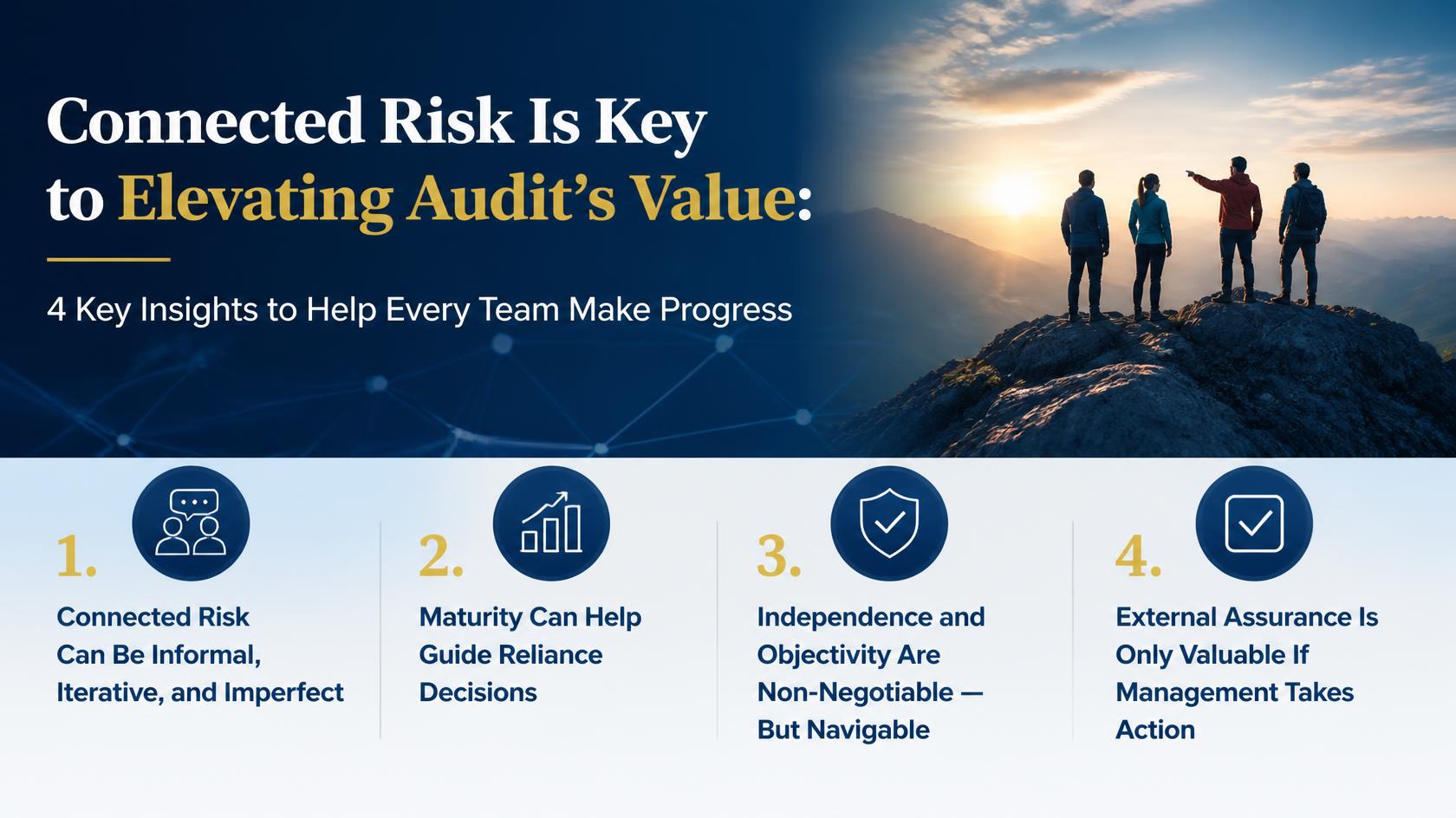
Connected Risk Is Key to Elevating Audit’s Value: 4 Key Insights to Help Every Team Make Progress

What Is an AI Operator? How Can You Become One and Why Does Your Internal Audit Team Need One?

How to be a Better Internal Audit Leader to the Business
Want to be updated as new blog posts are released? Subscribe to our newsletter.
Join 1K+ readers of The Enabling Positive Change Newsletter for tips, strategies, and resources to improve your approach to Internal Audit and SOX compliance.